 Hushtop
Everything you copied, one shortcut away
macOS remembers one thing at a time. Hushtop keeps the last 200, in the notch, with search, pins and snippets. ⇧⌘V opens it wherever you are.
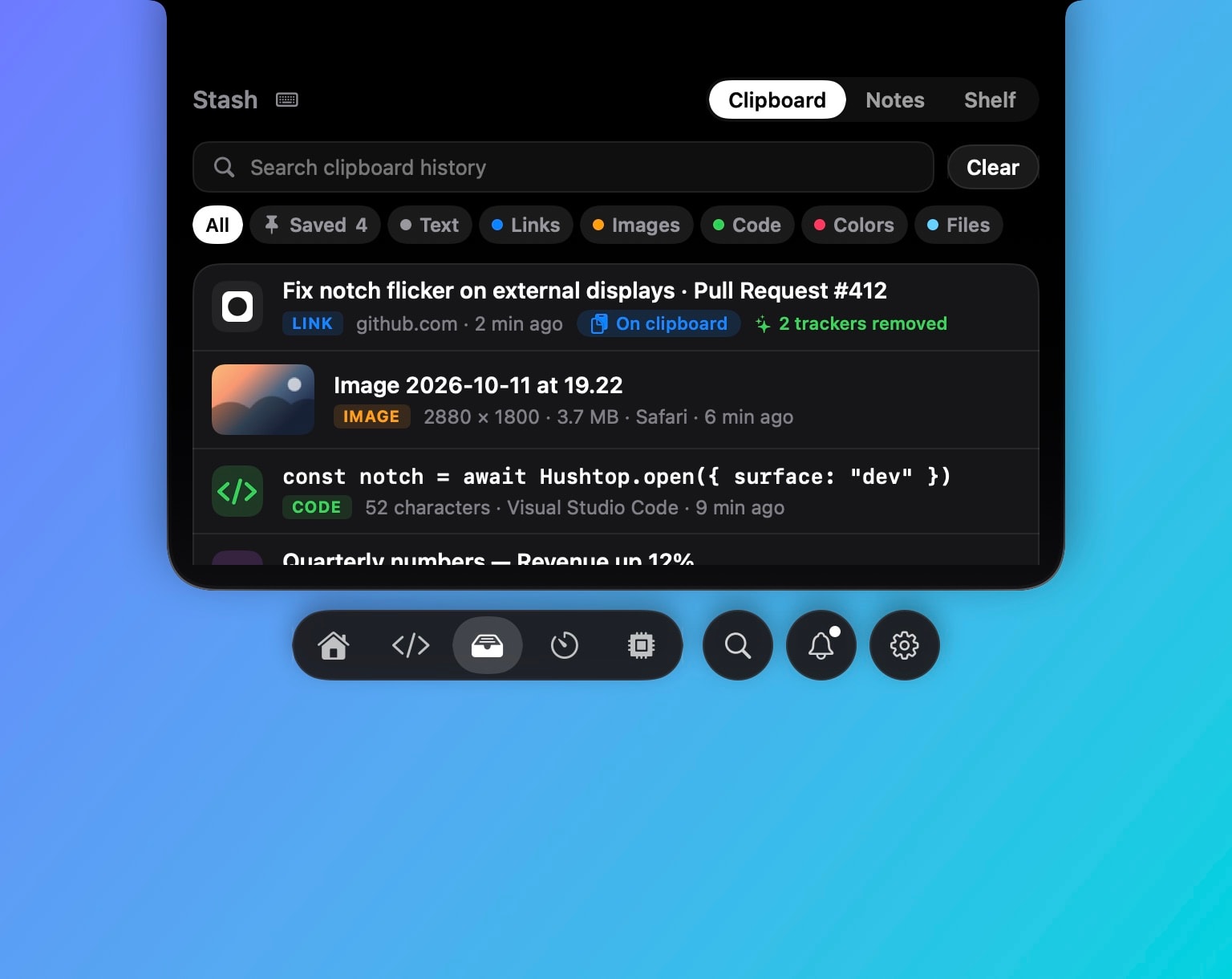
What you get
- 200 items, text, links, images and files, newest first, with search as you type.
- Pins and snippets for the things you paste every day: an address, a signature, a command.
- Clean links: tracking parameters come off as you copy, and a copied link shows the page’s title and a short description.
- Paste as plain text when you want it, every time if you prefer.
What it never records
Password managers are excluded always: 1Password, Bitwarden, Keychain Access and Apple’s Passwords app. Anything an app marks as concealed or transient on the pasteboard is skipped too. Add any other app to the list in Settings. If you’d rather keep nothing around, the history can clear itself when the Mac locks or sleeps.
Off until you turn it on
Clipboard history is off by default and stays off unless you pick a setup that uses it or switch it on in Settings › Clipboard. Nothing you copy leaves your Mac either way.
Compared with clipboard managers
Maccy is free and open source, Paste has a richer board and syncs across devices, Raycast includes a clipboard history with its launcher. Hushtop’s is one part of a notch app that also shows your music, meetings, AirPods, a file shelf and your coding agents. If you only need a clipboard manager, Maccy is the better buy.
Facts
- Native Swift, Apple silicon, macOS 15 or later. No account, no telemetry. Free for 7 days, then one payment for the whole app.
- The shortcut is yours to change. ⇧⌘V is the default.
Try it free for 7 days, or see files and clipboard on the features page.
Questions
Does it record passwords?
No. Anything 1Password, Bitwarden, Keychain Access or Passwords puts on the clipboard is skipped, and so is anything an app marks as concealed or transient. You can add your own apps to the list.
Where is the history stored?
On your Mac only, in Hushtop’s own folder. It can clear itself when the Mac locks or sleeps, if you want that.
Does it need an account?
No. You download it and try it for 7 days. If you buy it, you enter a license key; there is no sign-up.
Is it a subscription?
No. Hushtop is $9.99 once for one Mac, tax included, after a free 7-day trial.