 Hushtop
Notch apps for Mac
Since 2021 the MacBook has a notch, and since about 2024 there are apps that use the space around it. This is what they do, what to look for, and where Hushtop sits. Written by Hushtop’s maker, so read the comparisons with that in mind.
What a notch app is
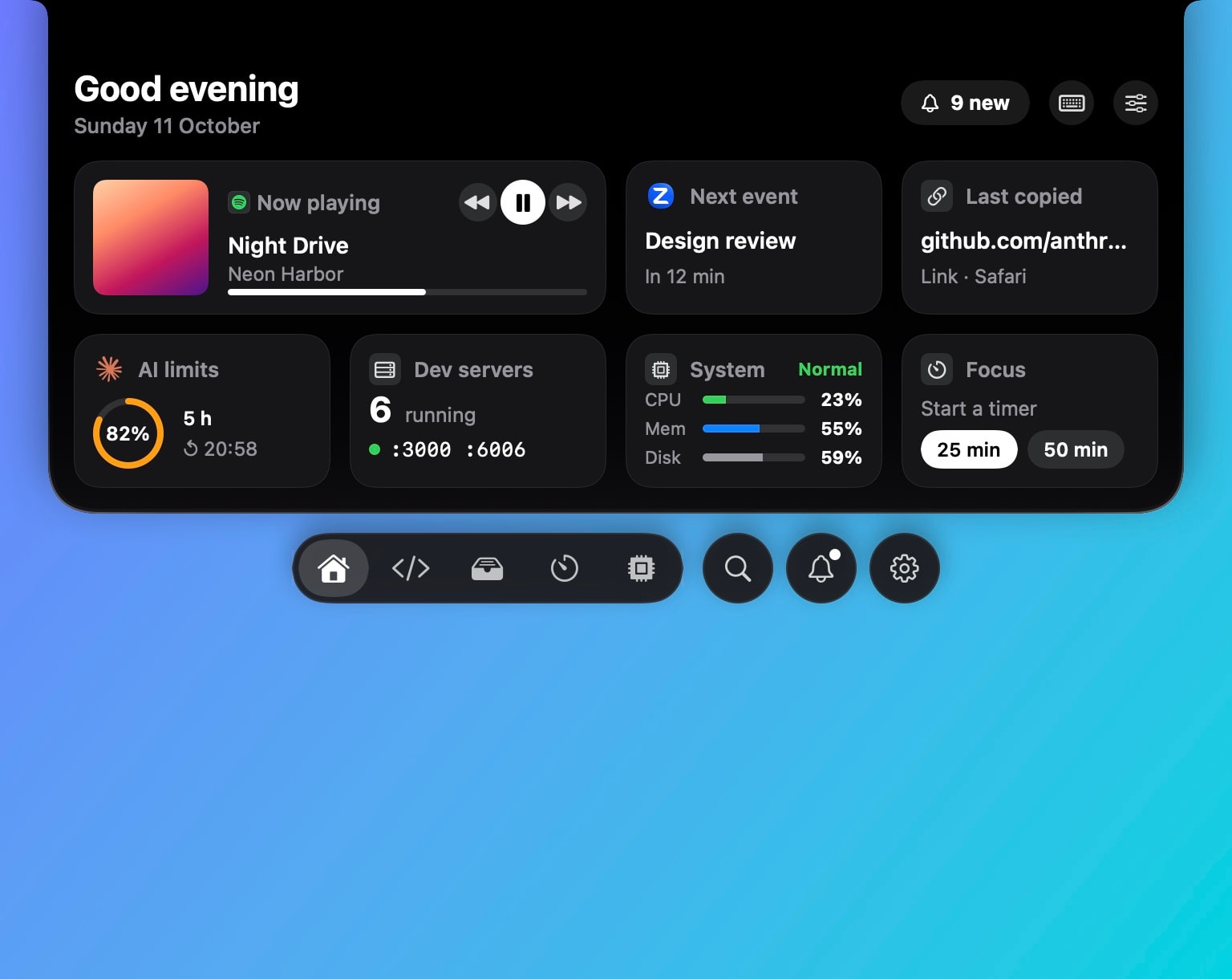
macOS treats the notch as dead space. A notch app draws a small panel around it that grows when you hover or when something happens, like the Dynamic Island on an iPhone. Most start with music controls. The better ones put the things you check all day there: what’s playing, the next meeting, your AirPods, a place to drop files, and lately, your coding agents.
The apps people mention
- Alcove: the most polished media and live-activity notch, native and fast. If you want media and nothing else, start there.
- The Boring Notch: free and open source, music first, a lot of people’s first notch app.
- NotchNook: one of the first to make the notch useful, with a wide set of features.
- NotchPop: small, inexpensive, one-time price.
- CrewTower, Crest, Agent Island: built around coding agents in the notch.
- Hushtop: the everyday set (music with lyrics, meetings, AirPods, a shelf, clipboard, vitals) plus Claude Code and Codex approvals answered in the notch, and a pet. One payment.
What to check before you pay
- Native or not. A Swift app idles lighter and feels like macOS. Ask, or look at the download size.
- What it needs. Accessibility is normal for notch apps. Screen Recording or Full Disk Access for a music widget is not.
- What leaves the Mac. A notch app sees what you play, your calendar and your clipboard. Read the privacy page; if there isn’t one, that’s the answer.
- Price model. One-time with a trial, or a subscription for a notch? Decide before you get attached.
- No notch? Some apps draw a floating island on displays without one; some simply don’t work there.
- Can you turn things off? The good ones let you run two modules; the bad ones run twenty.
Where Hushtop fits
Hushtop started with one job, telling you when Claude Code needs a yes, and the everyday modules moved in after that spot was useful. It’s native Swift, signed and notarized, needs one permission at setup, sends no telemetry, and every module can be switched off. Free for 7 days, then one payment. It also has a pet, which is either the reason you’ll try it or the first thing you’ll turn off.
Side by side
Each page below lists what Hushtop does next to one other app, with the same facts and no claims about the other side: NotchNook, Alcove, The Boring Notch, NotchPop, CrewTower.
Everything Hushtop does · Try it free for 7 days
Questions
Is Hushtop native?
Yes. Swift and SwiftUI, built for Apple silicon on macOS 15 or later, signed and notarized by Apple.
Does it work on a Mac without a notch?
Yes. On a display without a notch, Hushtop shows a small floating island at the top of the screen instead. You can turn it off in Settings.
What does it send over the network?
Nothing about what you do. To check your license, Hushtop sends only your license key, an anonymous Mac ID and its version. Updates come only from hushtop.app. Features that need the internet, like lyrics or weather, stay off until you turn them on.
Is it a subscription?
No. Hushtop is $9.99 once for one Mac, tax included, after a free 7-day trial.