 Hushtop
How your Mac is doing, at a glance
CPU, memory, heat, battery health, the startup disk and your network, in the notch, with a speed test and a cleanup that only removes what’s safe.
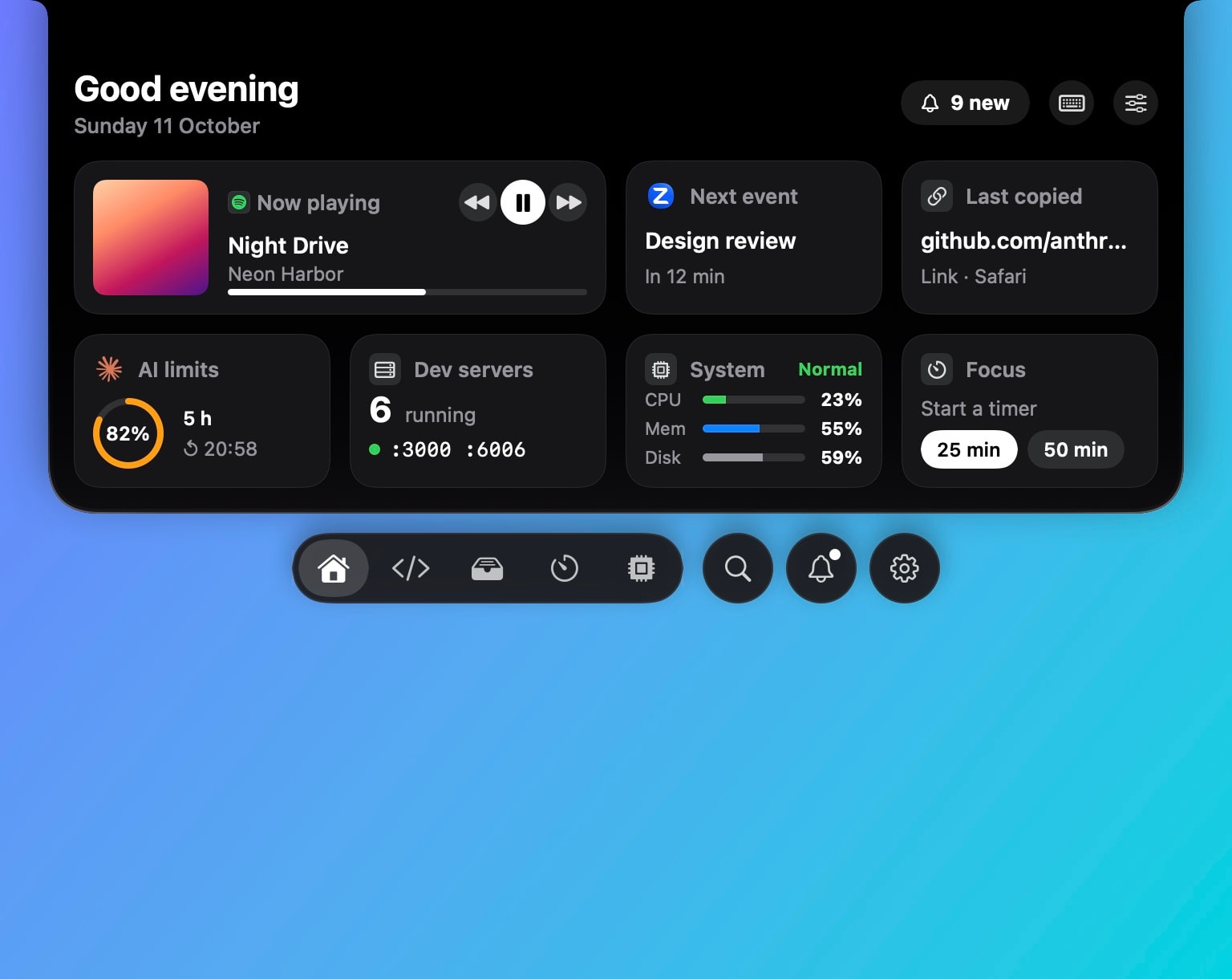
In the notch
- Vitals: CPU, memory, thermal state and battery health, each with a hover card for the detail.
- Charging: a green rim when the charger goes in, then how long until it’s full.
- Network: your IP addresses, whether a VPN is on, latency, and DNS tools for when a site won’t load.
- Speed test, one click, in the same panel.
Keeping it working
Maintenance frees up space safely and uninstalls apps together with their leftovers. Health checks look for the usual problems, a full disk, a stuck process, a permission that went missing, and offer the fix. Quit protection stops a stray ⌘Q: hold it, or press it twice.
Compared with monitors
iStat Menus is the deep one, with history and every sensor. Stats is free and open source. Hushtop shows the numbers you look at and puts them next to your music, meetings, AirPods and coding agents. If you only need a system monitor, Stats is the better buy.
Facts
- Native Swift, Apple silicon, macOS 15 or later. No account, no telemetry. Free for 7 days, then one payment for the whole app.
- The speed test is the only part that uses the network, and only when you press it.
Try it free for 7 days, or see your Mac on the features page.
Questions
What does the cleanup remove?
Caches, logs and leftovers it can identify as safe, and apps you choose to uninstall together with their files. It shows what it found before anything is removed.
Does it run all the time?
The vitals read the same counters Activity Monitor does, when the panel is open or a widget shows them. There is no background scanning.
Does it need an account?
No. You download it and try it for 7 days. If you buy it, you enter a license key; there is no sign-up.
Is it a subscription?
No. Hushtop is $9.99 once for one Mac, tax included, after a free 7-day trial.