 Hushtop
Codex asks, you answer from the notch
Codex CLI can ring a terminal bell when it needs an approval, if your terminal supports it. Hushtop puts the request itself in the MacBook notch, with Allow and Deny, and tells you when a session finishes.
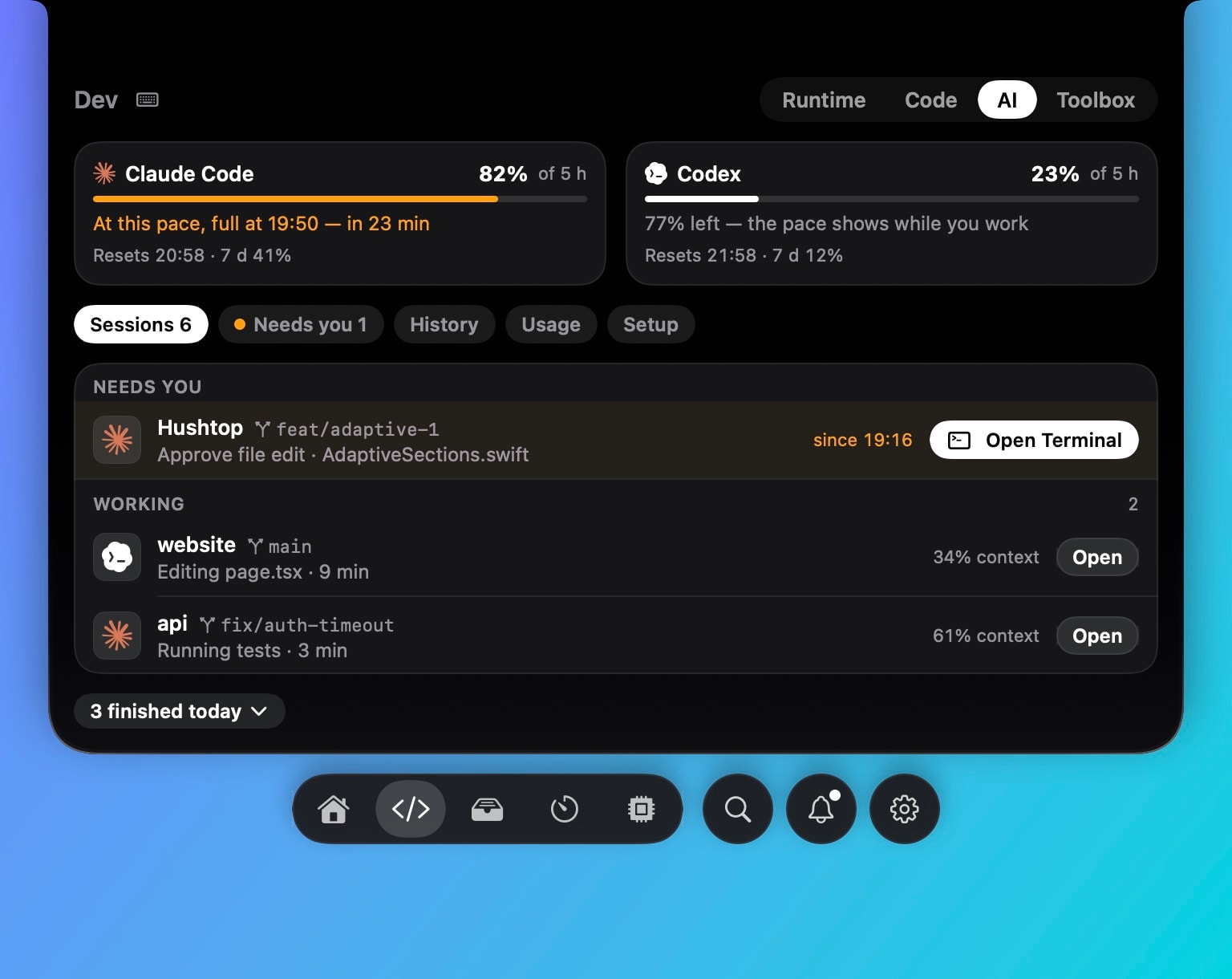
Approvals
Codex reads hooks in the same shape as Claude Code from ~/.codex/hooks.json. Hushtop adds one PermissionRequest entry there that runs a helper inside the app. The request shows in the notch; your answer goes back as the hook’s output. Codex asks you to trust the new hook once, from inside Codex.
Codex shows nothing in its terminal while a hook waits, so Hushtop waits two minutes, then says nothing and Codex asks in the terminal as usual. There is no automatic allow and no automatic deny.
Finished, and limits
Hushtop wraps Codex’s notify program so a finished turn shows in the notch, and runs your original notify command after, exactly as before. Codex sessions sit in the same list as Claude Code, with the 5-hour and weekly limits on their own ring and a heads-up at 75% and 90%.
Terminals
The hook is terminal-independent. Open Terminal brings the session’s window to the front in Terminal, iTerm2, Ghostty, WezTerm, Warp, Kitty, Hyper and Tabby, and jumps to the exact tmux pane where it can.
Setup and removal
Settings › Dev › AI shows the exact lines it will add to hooks.json and config.toml before writing, keeps a backup, and Remove takes them out again (a hooks file Hushtop created is emptied). The hook entries are public at github.com/FarhanRiuzaki/hushtop-hooks.
Facts
- Native Swift, Apple silicon, macOS 15 or later. No account, no telemetry; the request stays on your Mac.
- Free for 7 days, then one payment. Claude Code works the same way: how the hook works.
Questions
Which terminals work with the Codex hook?
Any. Hushtop uses Codex’s own PermissionRequest hook in ~/.codex/hooks.json, so it works wherever Codex runs. In tmux, Open goes to the exact pane.
What if I don’t answer?
Codex asks in its terminal after 120 seconds, as it would without Hushtop. Nothing is allowed on its own.
Does it need an account?
No. You download it and try it for 7 days. If you buy it, you enter a license key; there is no sign-up.
What does it send over the network?
Nothing about what you do. To check your license, Hushtop sends only your license key, an anonymous Mac ID and its version. Updates come only from hushtop.app. Features that need the internet, like lyrics or weather, stay off until you turn them on.