 Hushtop
A pet that lives in your MacBook notch
A small animal sits next to the notch, minds its own business most of the day, and looks up when something needs you. It wasn’t part of the plan. It isn’t going anywhere now.
What a notch pet does
It lives at the top of the screen, next to the notch, and reacts to what your Mac is doing. A song starts and it dances. The charger goes in and it notices. AirPods connect, a file lands in the AirDrop shelf, a timer ends, a meeting is about to start: each one arrives as a small gesture, a bell, a sign, a look up. When nothing is happening, it does what pets do, which is mostly nothing.
Eight friends, pick one
Mochi is the cat you’ve seen in the pictures. The others: Lulu floats and blows slow bubbles, Nugget runs a wheel while your agent works, Pip waddles when your song comes on, Ollie brings you a pebble, Boba gets the zoomies when tests pass, Kapi breathes, Piyo cheers when you start and finish. Pick one, name it, choose which side of the notch it sits on. Change your mind later.
The part that’s useful
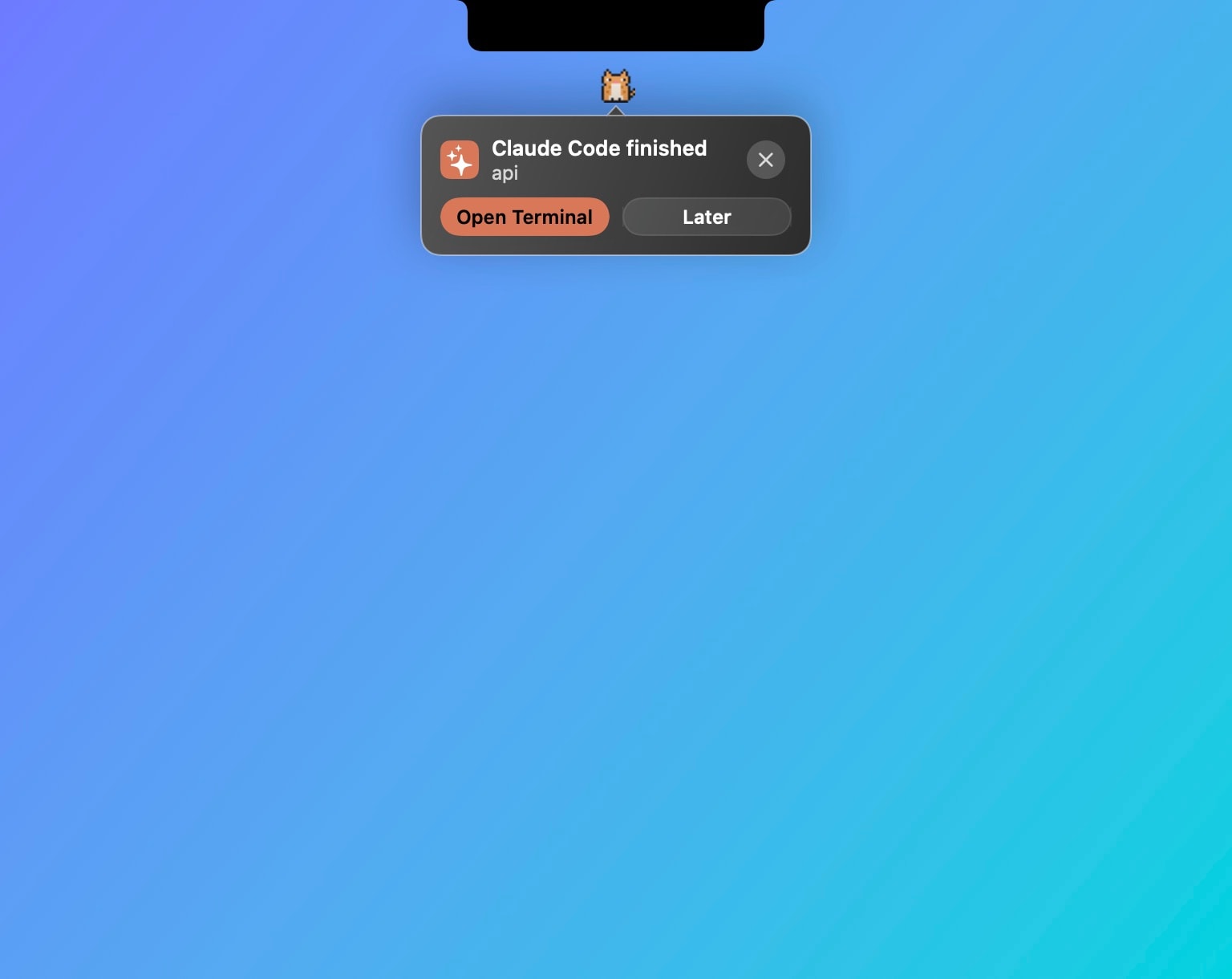
If you run Claude Code or Codex, the pet is how you find out an agent is waiting for a yes. It looks up, the notch shows the request, and you answer right there. A morning brief and an evening recap come from the same place: what’s ahead today, how it went. Small suggestions appear when they’re timely, not on a schedule.
If you want more, hold ⌥ and talk to it; it can answer from your own AI tools and read the answer aloud. That’s off until you turn it on, like everything that would send a word anywhere.
It’s a pet, not a tamagotchi
No hunger bar, no streaks to protect, no guilt. You can turn it off entirely and keep the rest of Hushtop. It uses the same notch as the music, meetings and AirPods panels, so it never adds a second window or a second menu bar icon.
Facts
- Native Swift, Apple silicon, macOS 15 or later. On a Mac without a notch it sits by a floating island instead.
- No account, no telemetry. Nothing the pet does leaves your Mac unless you turn on Ask your pet.
- Free for 7 days, then one payment for the whole app. After the trial, without a license, Hushtop keeps music and the notch working and the pet takes a nap.
Try it free for 7 days, or see everything the pet does. Looking at other notch apps? Here’s how they compare.
Questions
Can I turn the pet off and keep the rest?
Yes. The pet is one module. Turn it off in Settings and the music, meetings, AirPods and agent panels stay.
Does the pet send anything anywhere?
No. Its reactions, the morning brief and the evening recap come from what Hushtop already sees on your Mac. Ask your pet is off until you turn it on.
Does it work on a Mac without a notch?
Yes. On a display without a notch, Hushtop shows a small floating island at the top of the screen instead. You can turn it off in Settings.
Is it a subscription?
No. Hushtop is $9.99 once for one Mac, tax included, after a free 7-day trial.